Key Takeaways:
Traditional kitchen design relies on floor plans and material samples—static representations requiring imagination to envision final results. This guesswork causes expensive mistakes, change orders, and buyer's remorse. 3D rendering eliminates uncertainty by showing photorealistic kitchen visualizations before any construction begins.
This guide explains how 3D rendering works, what accuracy to expect, and how visualization technology reduces costly errors while accelerating decision-making. Whether planning a complete luxury kitchen overhaul or targeted updates, understanding rendering capabilities prevents surprises and protects your investment.
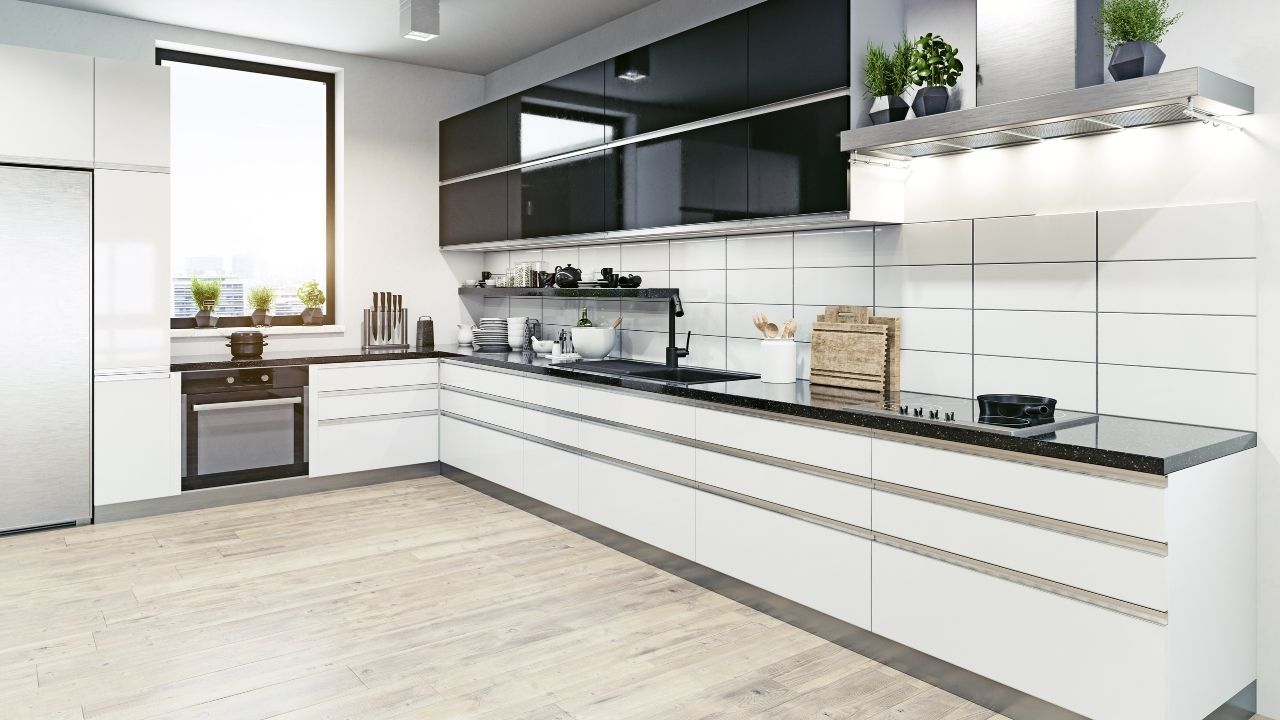
3D rendering creates computer-generated images showing proposed kitchen designs from multiple angles with realistic lighting, materials, and spatial relationships. Unlike flat drawings, renderings display depth, proportion, and finished aesthetics. This technology bridges the gap between concept and construction, allowing homeowners to experience their kitchens virtually before spending on materials or labor.
Floor plans show layouts from above—helpful for understanding placement but poor for visualizing finished spaces. Elevations provide flat wall views without depth perception. 3D rendering achieves 95-99% spatial proportion accuracy and 90-95% scale accuracy, allowing realistic evaluation of how elements relate spatially. You see countertop height relative to windows, cabinet depth in context with traffic flow, and island size proportional to room dimensions.
Traditional drawings require mental translation from 2D to 3D—a skill most homeowners lack. Renderings eliminate this translation, showing exactly what you'll experience standing in the completed kitchen. Comprehensive home improvement services increasingly rely on 3D visualization to ensure client satisfaction before construction.
Photorealistic renderings achieve 85-95% material appearance accuracy, 70-85% texture accuracy, and 75-85% color accuracy. These high-fidelity images showcase final aesthetics with accurate lighting, reflections, and material characteristics. Use photorealistic renders for finish selection, client presentations, and marketing.
Conceptual renderings prioritize spatial layout over visual polish. They show room flow, furniture placement, and proportional relationships without perfected materials or lighting. These faster, less expensive renders work well for early-stage layout decisions and comparing multiple design options before investing in photorealistic visualization.
Rendering accelerates design phases by 25-35% and speeds client approval by 40-50%. Designers create initial concepts in 3D, allowing rapid iteration through layout alternatives. Early visualization reveals spatial conflicts, traffic flow issues, and proportion problems before detailed planning begins.
This front-loaded visualization prevents downstream problems. Issues caught in rendering cost nothing to fix—just digital adjustments. The same problems discovered during construction trigger expensive change orders, material waste, and schedule delays. Smart designers incorporate rendering early to maximize decision quality and minimize project risk.
Luxury kitchen investments demand certainty. Six-figure budgets tolerate no guesswork about layouts, finishes, or functionality. 3D rendering provides this certainty through accurate visualization, improved communication, and dramatic reduction in costly revisions. The technology has shifted from nice-to-have to essential for high-end projects.
Eighty-seven percent of clients find 3D rendering extremely or very helpful—exceptional satisfaction rates reflecting the technology's value. Homeowners struggle judging whether 42-inch uppers feel cramped, whether islands allow adequate clearance, or whether pendant placement creates proper task lighting. Renderings answer these questions definitively.
Scale mistakes prove particularly expensive. Countertops ordered at wrong depths, cabinets exceeding ceiling height, or islands blocking traffic patterns all stem from scale misjudgment. Rendering's 90-95% scale accuracy prevents these errors by showing precise dimensional relationships in realistic context.
Lighting effects achieve 80-90% accuracy in quality renderings, showing how natural and artificial sources interact throughout the day. See morning sunlight streaming across countertops, pendant fixtures illuminating work zones, and under-cabinet lighting creating ambiance. This preview prevents inadequate lighting plans requiring expensive retrofits.
Material combinations pose another guesswork challenge. Does brushed nickel complement your chosen backsplash? Do countertop veining and cabinet grain create visual harmony or chaos? Rendering tests combinations digitally, eliminating expensive material samples and preventing finish mismatches discovered only after installation.
Client revisions drop 30-50% when projects use 3D rendering, and change orders during construction decrease 30-40%. These dramatic reductions stem from improved communication—everyone sees identical visualizations eliminating ambiguous descriptions and misinterpretations.
Verbal descriptions fail consistently. "Substantial island" means different things to designers and homeowners. "Adequate lighting" proves equally ambiguous. Renderings replace imprecise language with shared visual references. Contractors bidding from renders understand scope precisely, preventing surprises when expectations don't match delivered results.
Rendering workflows transform measurements and specifications into navigable virtual spaces. Understanding this process helps homeowners provide appropriate input, set realistic expectations, and maximize rendering value. The progression from data collection through final approval follows systematic steps.
Designers begin with accurate field measurements—wall dimensions, ceiling heights, window locations, door swings, and structural elements. These measurements establish the digital framework. Next, they input appliances using manufacturer specifications ensuring dimensional accuracy for refrigerators, ranges, dishwashers, and specialty equipment.
Cabinet specifications follow—door styles, dimensions, hardware placement, and organizational accessories. Most rendering software includes manufacturer catalogs with verified dimensions. Designers select actual cabinet SKUs rather than generic boxes, ensuring renders reflect real products you'll purchase. This specificity prevents ordering conflicts where rendered cabinets don't match available products.
Smart designers create 2-4 layout concepts exploring different approaches to your space. One might emphasize cooking with professional appliances and expansive prep zones. Another prioritizes entertaining with oversized islands and beverage stations. A third optimizes storage with floor-to-ceiling cabinetry and organizational systems.
These alternatives leverage rendering's flexibility. Walls, islands, and appliances move with clicks rather than construction demolition. Comparing options side-by-side reveals which layout serves your priorities best. This exploration phase prevents premature commitment to suboptimal designs requiring expensive revisions later.
Professional rendering packages typically include 2-3 revision rounds after initial concept presentation. First reviews address major elements—layout changes, appliance repositioning, or cabinet configuration modifications. Subsequent rounds refine details—hardware selection, backsplash extent, or lighting fixture placement.
Additional revisions beyond included rounds typically cost $200-500 depending on complexity. This structure encourages thoughtful feedback rather than endless minor adjustments. Prepare thoroughly for review meetings, consolidating feedback to maximize included revisions. Indecisive clients exhaust included rounds on trivial changes, then pay premiums for necessary substantive modifications.
Layout decisions determine kitchen functionality for decades. Poor layouts handicap daily cooking regardless of finish quality. 3D rendering reveals layout strengths and weaknesses through realistic spatial visualization impossible with floor plans alone.
Rendering shows whether your family of four can navigate the kitchen simultaneously during meal prep. Do two people collide opening the refrigerator and dishwasher simultaneously? Can someone access the pantry while another cooks at the range? These real-world scenarios become visible in rendered views.
Clearances appear deceptively adequate in floor plans. Thirty-six inches looks spacious drawn on paper but feels cramped with multiple bodies moving through. Renderings provide perspective views showing actual navigation space. This visualization prevents layout approval based on technically code-compliant but functionally inadequate clearances.
Islands dominate modern kitchens but frequently suffer from size mistakes. Oversized islands restrict movement; undersized versions disappoint. Rendering tests island dimensions in context—showing how 48-inch widths compare to 60-inch alternatives with your actual room proportions.
Seating presents similar challenges. Does a 10-foot island accommodate four stools comfortably? Do bar-height or counter-height seats work better with your proportions? Rendered views from seating positions show sight lines, knee clearance, and spatial comfort. This preview prevents expensive island modifications post-installation.
Floor plans miss vertical relationships. Does your planned hood align with the window behind it? Do upper cabinets interfere with window operation? Will wall ovens open freely without hitting nearby islands? These conflicts hide in plan views but appear immediately in 3D renderings.
Door swing interference creates another common problem. Pantry doors blocking appliances, cabinet doors colliding, or drawers hitting adjacent pulls all plague poorly planned kitchens. Rendering shows these conflicts before cabinet fabrication begins. Digital fixes cost nothing; constructed conflicts require expensive modifications or permanent inconvenience.
Finish decisions overwhelm homeowners facing hundreds of options across cabinets, countertops, backsplashes, flooring, and hardware. Wrong choices date quickly or create visual discord. Rendering test combinations risk-free, preventing expensive mistakes.
Rendering software contains extensive material libraries—cabinet door styles in multiple finishes, countertop materials with actual veining patterns, backsplash tiles in various layouts, and flooring options showing grain and color variation. Designers swap materials with clicks, instantly showing
alternative combinations.
Create multiple versions testing different palettes. Compare all-white schemes against two-tone cabinetry. Try bold backsplashes versus understated classics. See how natural wood elements balance against painted surfaces. This rapid testing identifies combinations working harmoniously versus those creating visual competition or blandness.
Lighting simulation achieves 80-90% accuracy showing how natural light moves through your space across different times and seasons. Morning eastern light creates different moods than afternoon western sun. North-facing kitchens need different artificial lighting than south-facing spaces. Renderings show these variations, informing fixture selection and placement. Understanding how natural light transforms spaces helps optimize both natural and artificial lighting strategies.
Artificial lighting simulations show pendant intensity, recessed fixture spread, and under-cabinet effectiveness. See whether three pendants over your island provide adequate task lighting or create shadowed zones. Evaluate if perimeter recessed fixtures eliminate dark corners or need supplemental accent lighting. This testing prevents inadequate lighting requiring expensive retrofits.
Color accuracy ranges 75-85% in renderings—reasonably accurate but requiring physical sample verification. Renderings excel at showing whether color schemes work conceptually even if exact hue matching needs samples. They reveal whether your navy cabinets create dramatic contrast or overwhelming darkness, whether brass hardware reads vintage or garish, and whether white countertops brighten or glare.
Texture and finish accuracy reaches 70-85%. Renderings show whether matte cabinets create desired subtlety or look flat and cheap. They display how polished countertops reflect light versus honed finishes absorbing it. Physical samples remain essential for final verification, but renderings eliminate obviously poor choices before ordering samples.
Rendering accuracy determines its value. Perfect accuracy proves impossible—digital simulations can't replicate physical reality completely. However, modern rendering achieves impressive fidelity across most aspects, with predictable limitations requiring workarounds.
Spatial proportions achieve 95-99% accuracy—the most reliable rendering aspect. Room dimensions, cabinet sizes, and appliance placement translate nearly perfectly from render to reality. Scale accuracy reaches 90-95%, ensuring furnishings and fixtures appear correctly sized relative to surrounding elements.
Material appearance hits 85-95% accuracy for most surfaces. Cabinet door profiles, countertop edge details, and hardware styles represent faithfully. These high-fidelity elements make renderings valuable for confirming design direction and communicating intent to contractors.
Lighting proves the most variable—80-90% accuracy means noticeable differences between rendered and actual illumination. Natural light varies by season, weather, and time of day more than simulations capture. Artificial lighting depends on exact fixture specifications and bulb characteristics are difficult to model perfectly.
Color accuracy of 75-85% and texture accuracy of 70-85% create the largest expectation gaps. Screen calibration, material finish, and lighting conditions all affect color perception. Glossy finishes photograph differently than they render. Wood grain patterns show more variation in reality than digital representations. These limitations necessitate physical samples before final selection.
Always use physical samples alongside renderings. Renderings show whether combinations work directionally; samples confirm exact colors, textures, and finishes. Calibrate monitors properly—cheap displays distort colors significantly. Request renderings showing multiple lighting scenarios—morning, afternoon, evening, and artificial only.
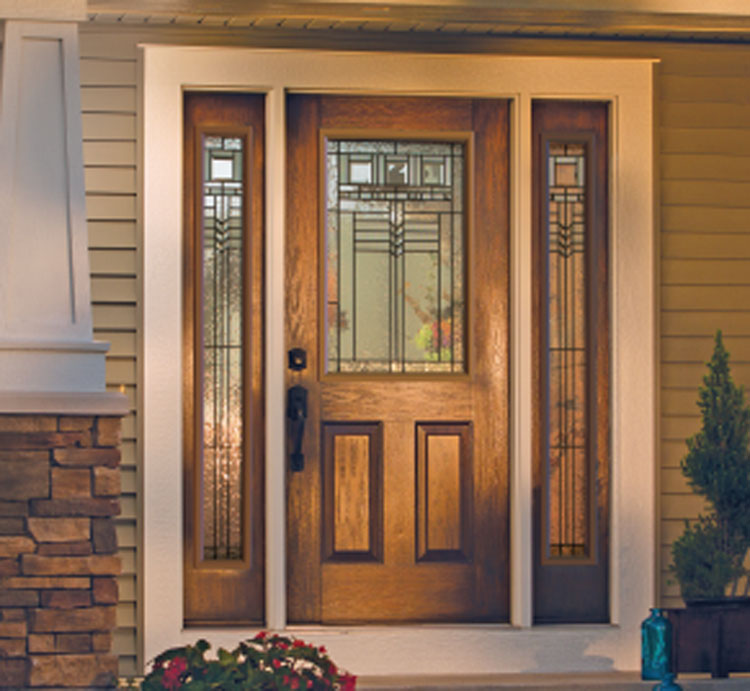
Provide material samples to designers for accurate rendering. Generic "white quartz" renders thousands of variations. Specifying your actual quartz selection ensures accurate representation. Note that renders approximate colors—never make final decisions without seeing physical materials in your actual space under real lighting. Quality entry door selections demonstrate how material visualization aids decision-making across all home improvement categories.
Rendering packages vary dramatically in scope and deliverables. Understanding industry standards helps evaluate proposals and negotiate appropriate inclusions. Professional packages balance comprehensiveness against cost-effectiveness.
Small single-room packages cost $600-$1,500, delivering 2-4 high-resolution images within 3-7 days. Luxury kitchen packages range $1,500-$4,000, providing 4-8 images covering multiple angles with basic revisions over 1-2 weeks. Comprehensive whole-home packages cost $3,000-$8,000, including 10-15 images across multiple rooms over 2-4 weeks.
Expect multiple viewpoints showing your kitchen from different perspectives—standing at the sink, seated at the island, entering from adjacent rooms. Include detail shots highlighting backsplash areas, cabinet hardware close-ups, and specialty features. Request both daytime and evening renderings showing lighting differences.
Professional designers synchronize renderings with construction documents ensuring consistency. Cabinet elevations match rendered layouts. Lighting plans correspond to rendered fixture placement. Finish schedules specify exact materials shown in renders. This integration prevents contractors interpreting renderings differently than designers intended.
Request specification sheets listing every rendered element—cabinet SKUs, countertop materials, hardware models, lighting fixtures, and appliance models. This documentation supports accurate bidding and ordering. Mismatches between renders and specs cause expensive errors when contractors build what specs specify rather than what renders show.
Clarify file ownership—do you receive original rendering files or only final images? Original files allow future modifications; images alone require designer engagement for any changes. Request files in multiple formats—high-resolution JPEGs for printing, PDFs for sharing, and native formats if ownership transfers.
Confirm revision limits explicitly. How many rounds come included? What constitutes a revision versus a completely new concept? Do minor tweaks count equally to major overhauls? What do additional revisions cost? Clear answers prevent disputes when you want modifications exceeding included scope.
Rendering costs raise questions about value justification. Spending thousands on images before construction seems expensive until comparing against costly mistakes rendering prevents. Understanding pricing structures and return on investment clarifies when rendering makes financial sense.
Professional software costs range dramatically—free options like Blender require steep learning curves. SketchUp Pro costs $299 yearly with medium-high accuracy. Chief Architect runs $2,995 one-time for very high accuracy preferred by residential architects. Autodesk Revit costs $2,825 annually for complex projects. Specialized kitchen software like 2020 Kitchen Design runs $1,495-$2,095 yearly.
Rendering engines add costs—V-Ray costs $470 yearly, Corona Renderer $336 yearly for photorealistic quality. Real-time rendering tools like Enscape ($699 yearly), Lumion ($1,799 yearly), and Twinmotion ($445 yearly) accelerate workflows. VR walk-throughs cost $5,000-$15,000 over 3-6 weeks. Comprehensive luxury project packages reach $8,000-$20,000+ including full visualization, VR, and video over 4-8 weeks.
Change orders drop 30-40% with rendering use, and client revisions decrease 30-50%. Design phases accelerate 25-35%. These improvements generate substantial savings—a single avoided change order often exceeds total rendering costs. Consider a $50,000 kitchen where rendering costs $3,000. Preventing one $5,000 change order and two weeks of schedule delays justifies the investment immediately.
Sales conversion increases 85% and listing views jump 87% when properties feature professional renderings. For homeowners planning to sell, rendering investments return multiples through faster sales and premium pricing. Even long-term occupants benefit through confidence their expensive investment matches expectations.
Budget 2-5% of total project costs for professional rendering on luxury kitchens. A $75,000 kitchen justifies $1,500-$3,750 rendering investment. A $150,000 project supports a $3,000-$7,500 rendering budget. This percentage ensures appropriate detail level without excessive visualization spending.
Lower-budget projects may skip photorealistic rendering, using conceptual renders or designer's in-house capabilities. Ultra-luxury projects exceeding $200,000 warrant comprehensive rendering packages including VR walk-throughs and detailed animations. Scale rendering investment to project complexity and budget sensitivity—higher stakes justify more visualization investment.
Certain mistakes plague kitchen projects repeatedly despite homeowner research and professional design. Rendering catches these problems during planning rather than discovering them post-construction when fixes prove expensive or impossible.
Oversized islands creating navigation obstacles appear immediately in renderings. The floor plan shows adequate clearance numerically, but rendered perspective reveals uncomfortably tight passages. Similarly, ranges too close to corners, refrigerators blocking pathways, or sinks positioned under wall cabinets all become visible through realistic visualization.
Scale issues extend to vertical elements. Upper cabinets mounted too low create head-bumping hazards. Range hoods too small look proportionally wrong. Pendant fixtures hung too high fail to provide task lighting; too low they obstruct sight lines. Rendering shows these vertical relationships floor plans miss entirely.
Trendy elements—ultra-modern handleless cabinets, bold tile patterns, or two-tone extremes—look compelling in magazines but may clash with your home's architecture or personal aesthetic. Rendering places trendy choices in your actual space context, revealing whether they integrate harmoniously or appear jarring.
See how that dramatic black backsplash feels in your actual kitchen versus Pinterest images. Evaluate whether open shelving works with your storage needs and display items rather than styled magazine photos. Rendering grounds trend evaluation in your reality rather than idealized images, preventing regrettable choices.
Windows create common alignment headaches. Ranges centered on walls conflict with off-center windows. Hoods mounted symmetrically to ranges cover windows partially. Upper cabinets interrupt window sight lines or prevent opening. Renderings show these conflicts before construction, allowing adjustments.
Lighting placement requires careful coordination with cabinets, hoods, and structural elements. Recessed fixtures too close to cabinets wash light on doors rather than counters. Pendants misaligned with island seating create shadowed zones. Under-cabinet lighting blocked by outlets or switches loses effectiveness. Rendering tests fixture placement ensuring optimal illumination. Understanding window placement and natural light optimization helps maximize both natural and artificial lighting effectiveness.
Rendering value depends on your review quality. Careful examination identifying issues and thoughtful feedback enables designers to refine designs effectively. Rushed reviews missing problems waste rendering investment.
Examine spatial relationships first—traffic flow, clearances, and proportional balance. Imagine cooking scenarios. Can you unload groceries efficiently? Does breakfast prep interfere with coffee making? Do multiple cooks navigate comfortably? These functional concerns matter more than aesthetic details initially.
Next evaluate sight lines from adjacent spaces. How does the kitchen appear entering from the living room? Do design elements create visual interest or clutter? Does the space feel appropriately sized or cramped? Stand at rendered angles matching your actual viewing positions for accurate assessment.
Provide specific feedback with reasons. "Move the island left 12 inches" proves more useful than "the island feels wrong." Explain why—"the island blocks the refrigerator door swing" or "I need more clearance reaching the sink." Designers fix specific problems; vague dissatisfaction leaves them guessing.
Prioritize feedback hierarchically. Major issues—layout problems, inadequate storage, or poor workflow—deserve immediate attention. Minor concerns—hardware style, paint color, or backsplash extent—can wait for subsequent revisions. This prioritization ensures included revision rounds address substantive issues rather than trivial preferences.
Verify every dimension shown matches specifications. Cabinet widths, countertop overhangs, and appliance clearances must equal specified measurements. Confirm appliance models match exactly—size variations between brands cause installation problems. Check hardware placement on cabinets and drawers for ergonomic accessibility.
Review lighting fixture placement comprehensively. Recessed fixtures should align with cabinet layouts. Pendants must clear head heights while providing adequate task lighting. Under-cabinet lighting should cover work zones completely. Switch and outlet locations need confirmation for functionality and code compliance.
Rendering requires preparation—designers need information creating accurate, valuable visualizations. Systematic preparation maximizes rendering benefit while minimizing revision rounds and costs.
Collect inspiration images showing kitchens you admire. Organize by category—layouts you like, cabinet styles you prefer, countertop materials attracting you, and lighting approaches inspiring you. Note specific elements you want incorporated versus general aesthetic directions. This organized inspiration communicates your vision efficiently.
Obtain accurate measurements of your existing space. Photograph your kitchen from multiple angles showing current conditions. Identify structural elements—beams, posts, ductwork—affecting design options. List existing appliances you're keeping versus replacing. This information enables accurate initial modeling reducing early revision needs.
Review rendering portfolios carefully. Do their renders show similar project scales and styles to yours? Are renderings photorealistic or conceptual? Do they include multiple viewpoints and lighting scenarios? Portfolio quality indicates the firm's rendering investment and capabilities.
Ask about rendering software and workflow. Firms using professional tools like Chief Architect, Revit, or specialized kitchen software produce better results than those using basic programs. Inquire about revision policies, deliverable formats, and timeline expectations. Confirm they provide specification documentation matching renders.
Final render approval triggers detailed construction documentation—cabinet shop drawings, electrical plans, plumbing layouts, and finish schedules. Ensure renders inform every document—elevations should match rendered views exactly. Specifications must list precisely what renders display. Lighting plans should replicate rendered fixture placement.
Review construction documents against renders identifying any discrepancies before contractor bidding. Inconsistencies between renders and plans cause expensive field changes when contractors follow plans rather than renders. Resolve all conflicts during the documentation phase, not during construction when changes multiply costs exponentially.
3D rendering eliminates guesswork from luxury kitchen design. Technology achieving 95-99% spatial accuracy and 85-95% material appearance accuracy shows your kitchen before construction starts. Client revisions drop 30-50%, change orders decrease 30-40%, and design phases accelerate 25-35%—delivering dramatic improvements in project certainty and cost control.
Professional rendering costs $1,500-$4,000 for comprehensive luxury kitchen packages—reasonable investment preventing expensive mistakes and ensuring satisfaction with your six-figure investment. The 87% client satisfaction rate reflects rendering's value in luxury projects where certainty matters more than economy.
Contact Alexandria Home Solutions today to discuss incorporating 3D rendering into your luxury kitchen planning. Our advanced visualization capabilities help you see every detail before construction begins, ensuring your finished kitchen exceeds expectations rather than creating disappointing surprises.